
Premium
What Premium can do
fUat Premium is an auto-renewing subscription that makes checking in at your usual places a little easier. Viewing and posting check-ins works on the free plan too.
Last updated: June 11, 2026
Pricing
About ¥208 a month — two months cheaper than paying monthly for a year.
Payment is handled by in-app purchase on the App Store or Google Play. The price and tax treatment shown by the store take precedence.
Free vs Premium
| Feature | Free | Premium |
|---|---|---|
| Spots you own | Up to 3 | Up to 20 |
| Viewing and posting check-ins | Available | Available |
| Comments | Not available | Add a note of up to 140 characters |
| Extending a check-in | Not available | Extend by +30m / +1h / +2h |
| Ads | Shown | Not shown |
What Premium adds
Comments
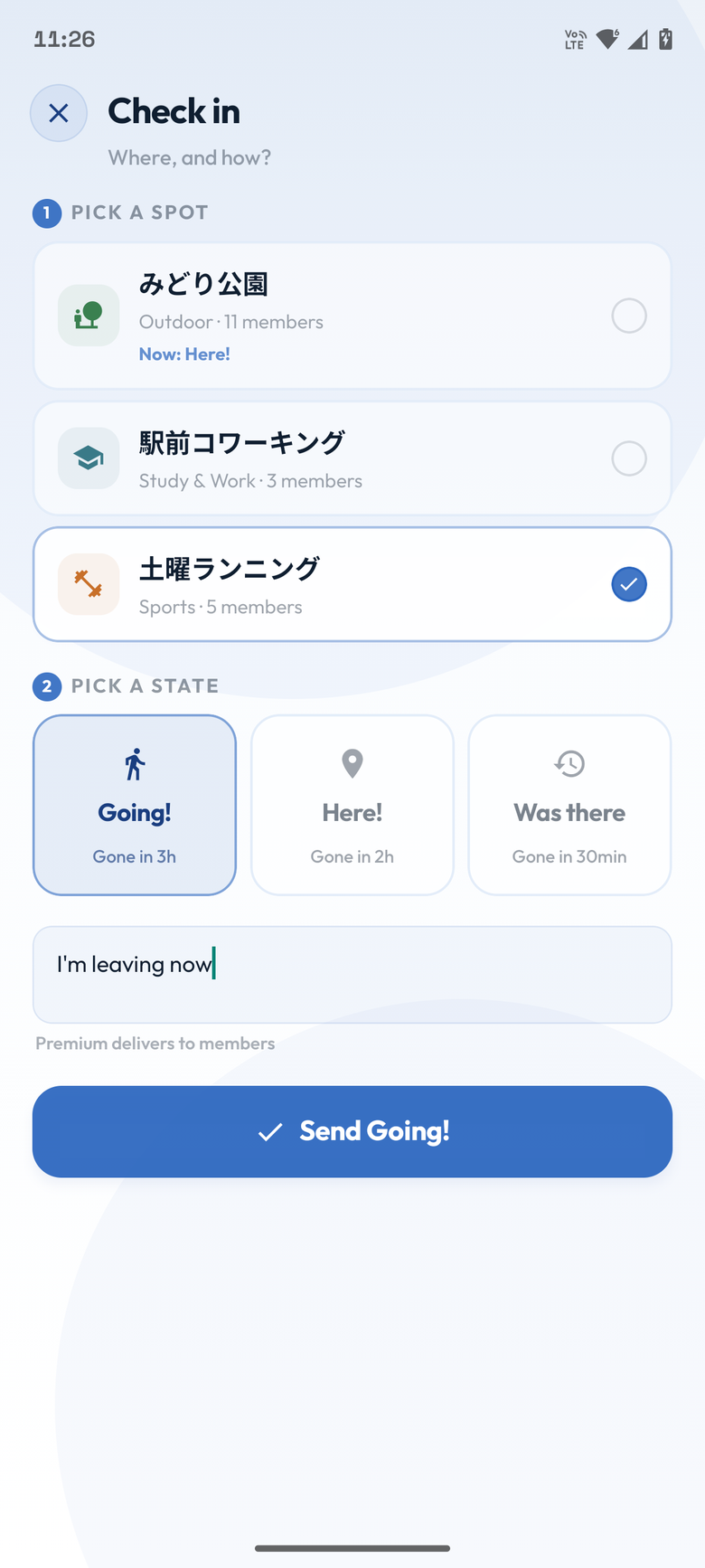
Add a note of up to 140 characters to a check-in. Comments are shown to everyone in the same spot.
Extending a check-in
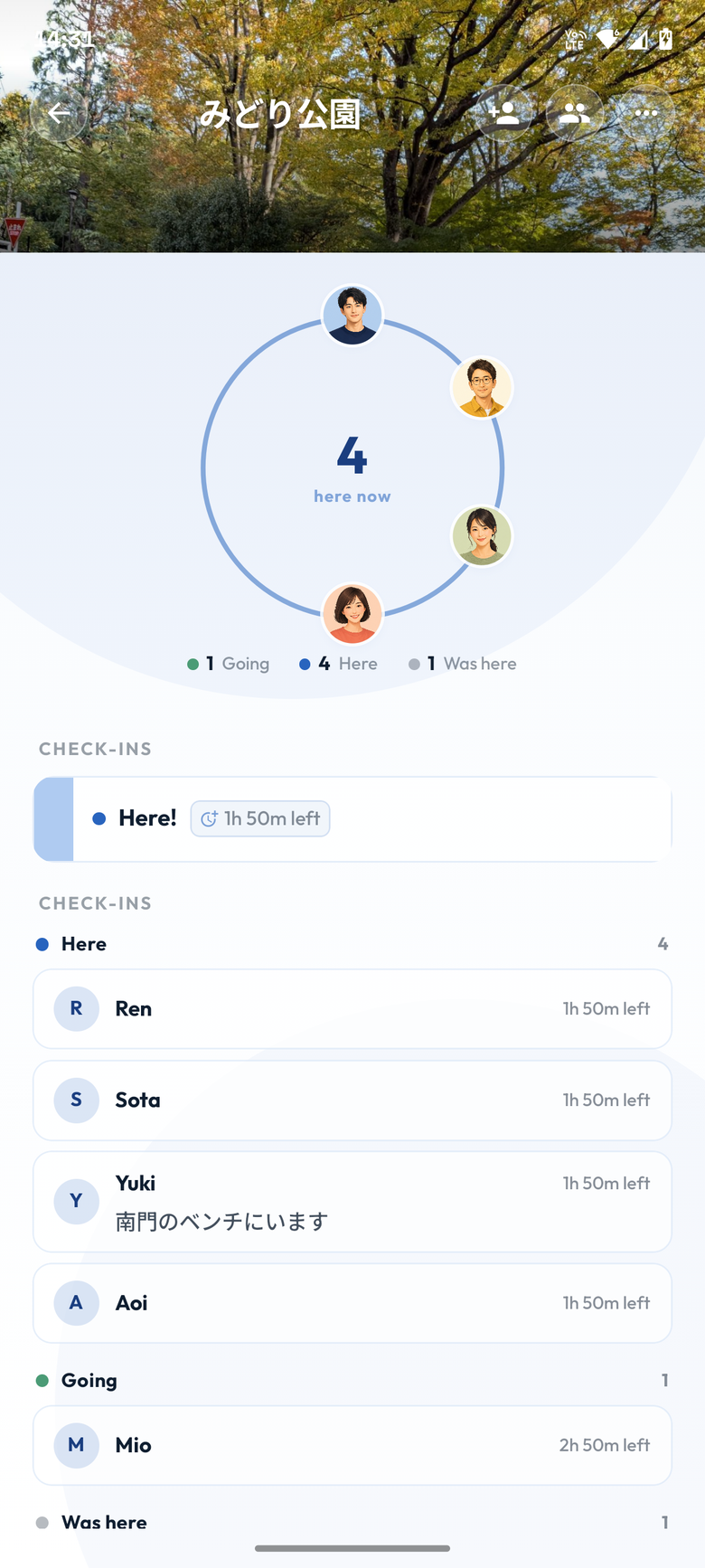
Extend the time left on a Here check-in by +30m, +1h, or +2h. A single check-in can run up to 24 hours in total.
More spots of your own
The number of spots you can own goes from 3 to 20. Spots you were invited to do not count toward the limit.
No ads
While Premium is active, no ads are shown in the app.
Using Premium features
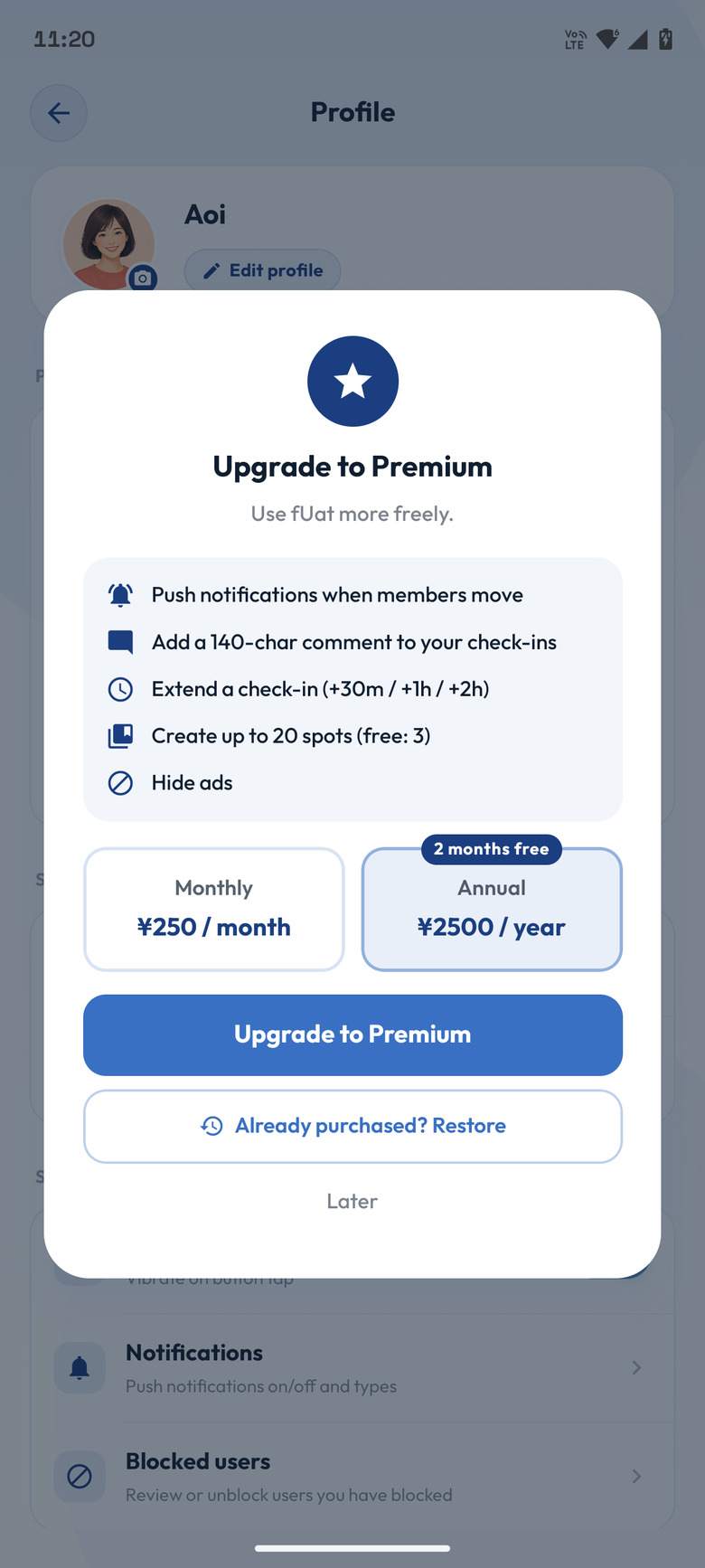
Upgrading to Premium
- Open Profile in the app.
- Under Plan, choose Upgrade to Premium.
- Pick monthly or annual and complete the purchase in the store dialog.
Checking in with a comment
- Open a spot.
- Choose Post with a comment.
- Pick a state, write your note, and send it.
Extending a check-in
- Show your active Here check-in.
- Long-press the time left.
- Choose +30m, +1h, or +2h, then tap Extend.
Turning notifications on (free plan too)
Push notifications are not a Premium feature. The steps are the same on the free plan.
- Open Notifications from Profile.
- Turn on All push notifications.
- Allow notifications when your device asks.
- Adjust which kinds you want — check-ins, join requests, and so on.
Creating more spots
- Open the spot creation screen as usual.
- While Premium is active you can own up to 20 spots.
- If you reach 20, delete a spot you no longer need before creating another.
Restoring a purchase
- Open the Premium upgrade screen.
- Choose Already purchased? Restore.
- Premium is restored once a purchase is found on the same store account.
Managing and cancelling
Premium is an auto-renewing subscription on the App Store or Google Play. Cancelling, stopping renewal, changing your payment method, and requesting a refund all follow that store's own screens and policies.
In the app, Profile → Plan → Manage plan opens the subscription screen for the store you bought through.
- After cancelling, Premium features stay available until the end of the paid period.
- After that, your account returns to the free plan.
- If a purchase does not show up, try Restore first.
- If that does not solve it, email contact@fuat.app with details of your fUat account.
The spot limit after Premium ends
If Premium ends and you own more than 3 spots, you get a 7-day grace period.
- During the grace period you can still use all of your spots.
- Go to Profile → All spots and mark the ones you want to keep.
- You can mark up to 3.
- After 7 days the marked spots are kept first, and the rest are kept oldest-first up to 3 in total.
- Spots beyond the free limit are cleaned up.
Premium FAQ
Can I use fUat on the free plan?
Yes. Joining spots, viewing and posting check-ins, and using spots you were invited to are all free. You can own up to 3 spots yourself.
Do notifications arrive automatically?
No. Notifications are off by default on both the free plan and Premium. To use them, go to Profile → Notifications, turn on push notifications, and allow notifications on your device.
Who can see comments?
Comments are shown to everyone in the same spot. Posting one is a Premium feature, but any member of the spot can read them.
Can I create more than 20 spots?
The current Premium limit is 20 spots of your own. To create a 21st, delete an existing spot first.
I purchased Premium but it is not active
Try Already purchased? Restore on the Premium screen first, and check that you are signed in to the store account you purchased with. If it still does not appear, email contact@fuat.app.